
The Ultimate UK Guide to Garmin Edge Bike Computers: Which Model Do You Own?

If you’ve ever tried to figure out why a silicone case designed for a Garmin Edge 530 won’t wrap around an Edge 540, or wondered whether your cracked screen requires a simple outer lens swap or a complete display assembly replacement, you are definitely not alone. Garmin’s cycling ecosystem is highly regarded by riders across the UK, but distinguishing between the various numbered series can feel like navigating a maze.
We look at these head units every single day on our workshop benches. Whether you are trying to figure out exactly which model is sitting on your out-front handlebar mount, searching for the right protective accessories, or trying to source an exact replacement screen, this enthusiast breakdown has got you covered.
How to Identify Your Garmin Edge: Finding Your Model
Before you order a replacement screen, or purchase a protective case or a screen protector, you need to know exactly which Garmin Edge model you have. Because Garmin often maintains the exact same outer dimensions while completely overhauling the screen technology inside (such as the button-operated Edge 530 vs. the touchscreen Edge 830), guessing can lead to purchasing an incompatible part.
Here is how our workshop technicians identify every bike computer that comes across our benches:
Method 1: Check the Rear Casing & Weather Cap (Most Common)
Flip your unit over. Most Garmin Edge computers have their specific model name (e.g. "Edge 830" or "Edge 1040") printed clearly on the rear plastic housing or beneath the rubber weather cap protecting the USB port.
Method 2: Check the Quarter-Turn Mount Inserts
On newer generations (like the Edge 1040 or 540/840), Garmin utilizes a distinct, reinforced metal quarter-turn mounting tooth instead of the standard molded black plastic tab found on legacy units like the Edge 1000 or 520.
Method 3: Look in the Device Settings (The Foolproof Way)
If your casing is muddy, heavily scuffed, or the external print has worn away, let the software reveal the model code:
Access the main menu of your Edge device.
Select Settings, then choose System.
Scroll down and select About.
Your exact Model Name and unique 10-digit Unit ID will be clearly displayed on the screen.
Anatomy of a Bike Computer: What Is Your Garmin Edge Made Up Of?
Have you ever wondered what happens underneath the glass when you navigate a route or cross a timing segment? To the untrained eye, a Garmin Edge is just a sealed plastic box. On our workshop benches, we see it as a dense, highly specialized layout of high-end electronic layers.
Understanding these layers makes it easier to figure out what has failed on your unit after a crash or a heavy storm.
The Shockproof Polymer Casing & Mount Lugs
The protective outer skeleton. Built to survive vibrations, heavy rain, and mud, this housing incorporates a built in quarter turn locking base on the back. If a heavy crash snaps these plastic mount wings, specialised replacement mount repairs are required to secure the unit back onto your handlebars.
The Touch Lens & Digitiser Assembly
This is what gets fractured. On touchscreen models (like the Edge 830, 1030, or 1040), the top layer consists of a custom glass pane bonded directly to a capacitive Digitiser grid that registers your inputs. If your unit takes a direct hit from loose gravel or a tarmac tumble, this glass can shatter even if the screen underneath continues to show your data fields perfectly.
The Transflective TFT Display Panel
Unlike standard smartphones, Garmin Edge displays use specialised Transflective TFT technology. This means they reflect ambient light rather than just relying on a bright background light; the brighter the direct British sunlight, the clearer your maps look on screen. If your screen displays lines, bleeding black ink, or goes completely white, this internal display panel has sustained internal structural failure.
The Motherboard & GPS Modules
The brain of the machine. This dense internal circuit board packs a multi band GNSS tracking antenna array, barometric altimeters, and Bluetooth/ANT+ chips to link your power meters and heart rate monitors. During a screen replacement, keeping this board completely clean and dust-free is our technicians' highest priority.
The Internal Lithium-Ion Battery
High capacity, rechargeable cells built to power your navigation through extensive long distance rides. While highly stable, years of exposure to vibrating road conditions, intense freezing winter commutes, or hot summer rides can eventually degrade the cell, resulting in rapid battery drain or unexpected power-offs mid-ride.
The Garmin Edge Range Comparison Matrix
| Model Series | Screen Size & Type | Control Interface | Hardware Vulnerabilities |
|---|---|---|---|
| Edge 1000 / 1030 / 1030 Plus / 1040 | Large 3.5" Transflective Colour Display | Capacitive Touchscreen | Large glass footprint is a prime target for rock strikes; rear mount lugs can break under heavy impacts. |
| Edge 820 / 830 | Mid-Size 2.6" Colour Display | Capacitive Touchscreen | Legacy 820 touch sensors can experience ghost touches; screen halos or yellowing edges can develop over time. |
| Edge 510 / 520 / 520 Plus / 530 / 540 | Compact 2.2" - 2.6" Colour Display | Physical Side Buttons Only | Side click-button seals can tear or wear down, compromising weather resistance; display screens split from side drops. |
| Edge Explore / Edge 130 | 1.8" Mono to 3.0" Touring Screen | Varies (Touch Explore / Button 13) | Explore touch screens scratch easily from glove grit; 130 displays are prone to direct lens cracking. |
Scroll down for a more in-depth series breakdown.
How Can We Help You Today?
Shop DIY Parts
Browse our trade ready inventory of replacement, LCD displays, batteries and tools. All parts sales are backed by a clean 30 day returns policy.

Mail-In Repair Service
Cracked your display screen or lost touch sensitivity? Skip the DIY risk. We offer professional screen swaps with a rapid 1–3 day mail in turnaround and a 6-month warranty.

Shop Screen Protectors
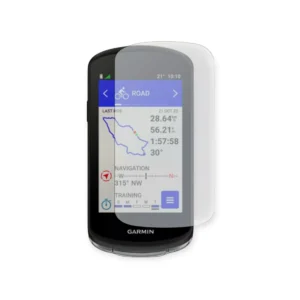
Looking to protect your device from any further damage? Check out our Garmin Edge tempered glass screen protectors & lock in extra protection today.
Shop Garmin Edge Cases
Looking to protect your device from any further damage? Check out our Garmin Edge protective silicone cases & lock in that extra layer of protection today.

Garmin Edge 1000 / 1030 / 1040 Series: Large Screen Flagships
If your bike computer looks like a compact smartphone mounted prominently out over your front handlebars, handles full off-road trail navigation smoothly, and gives you deep real-time endurance metrics, you are using a premium flagship model from the 1000-series family.
The Real World Hardware
The core difference between these two lines comes down to the interface style: the Edge 820 and 830 utilize full capacitive color touchscreens, while the Edge 520, 530, and 540 rely entirely on tactile physical buttons flanking the outer edge of the casing. On the 500-series button models, heavy use or exposure to wet weather can cause the outer rubber button membranes to split, which compromises the moisture seal. On the 800-series models, side impacts can crack the delicate edge glass. Whichever variation sits on your mount, we supply precision replacement assemblies to fix it.
Garmin Edge Screen Replacements:
Garmin Edge 830 | Garmin Edge 820 | Garmin Edge 540 | Garmin Edge 530 | Garmin Edge 520 Plus | Garmin Edge 520 | Garmin Edge 510
Garmin Edge 500 & 800 Series: Performance Training Standards
If your tracking unit is compact, aerodynamic, features a clear 2.6" display panel, and is used to monitor intervals, power meters, or climbing statistics, you are riding with an Edge 500 or 800 series model.
The Real-World Hardware
These large-format computers offer incredible visibility, but their generous glass screen footprints make them a primary target for direct rock strikes or sliding damage if your bike tips over on a cafe stop. If your map display is distorted, bleeding black ink lines, or failing to respond to finger taps, our expert workshop technicians can execute a flawless display swap to fix it.
Garmin Edge Screen Replacements:
Better for your wallet, better for the planet.
Get in touch for a quote & find out how much you can save compared to buying a new deivce